
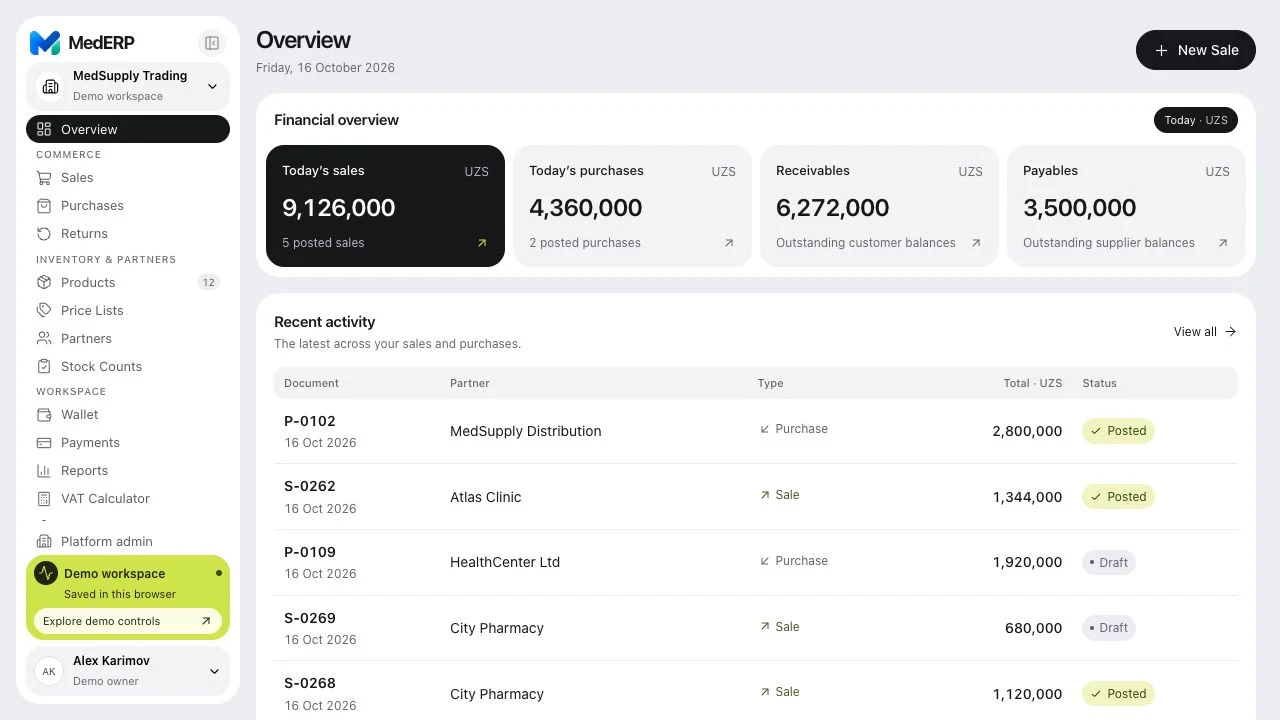
From order to paid.
Sales, purchases, returns, and partner balances stay connected. See each document’s status and what still needs settling.
Explore sales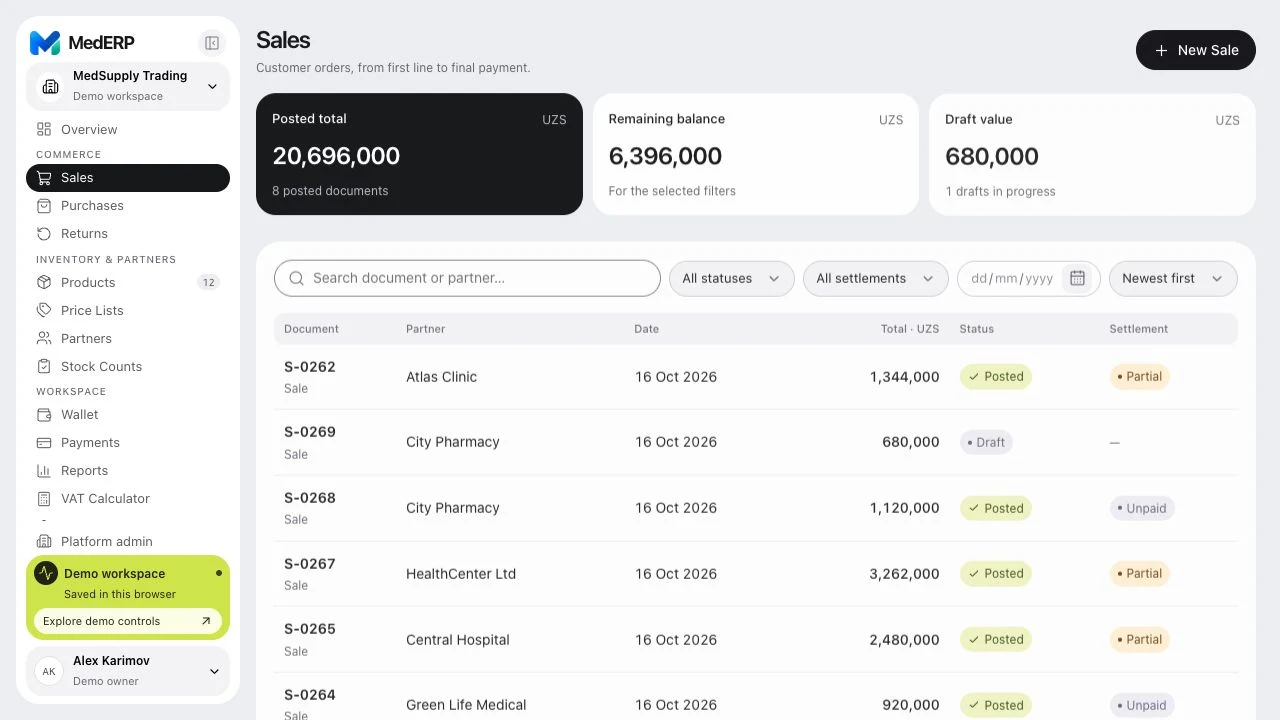
One connected workspace for medical-product distributors, from the first purchase to the final payment.
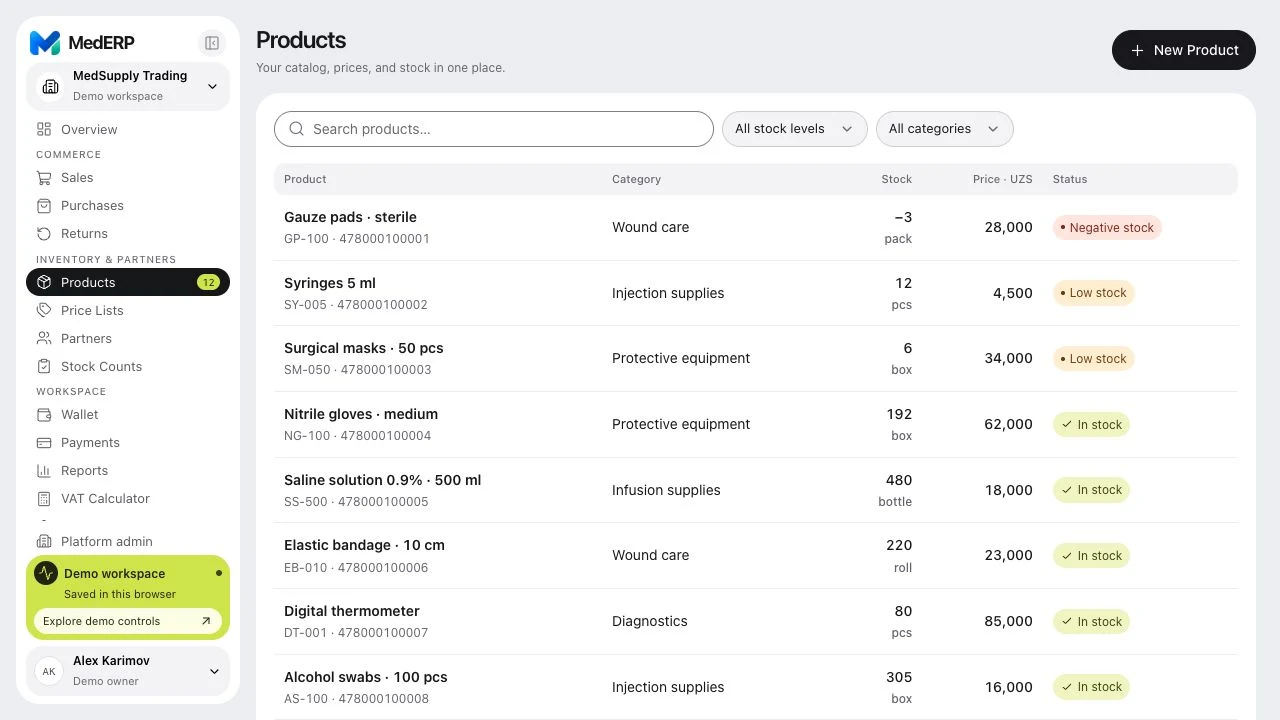
Your catalog, prices, and stock levels in one view. Follow each product from its first receipt to its latest movement.
Keep SKUs, barcodes, variations, units, and prices together in a searchable catalog.
Check quantities, review low stock, and trace movements in the inventory journal.
Sales, purchases, returns, and partner balances stay connected. See each document’s status and what still needs settling.
Explore salesSeparate cash, bank accounts, and reserves. Keep income, expenses, and transfers in their original currencies.
Explore wallets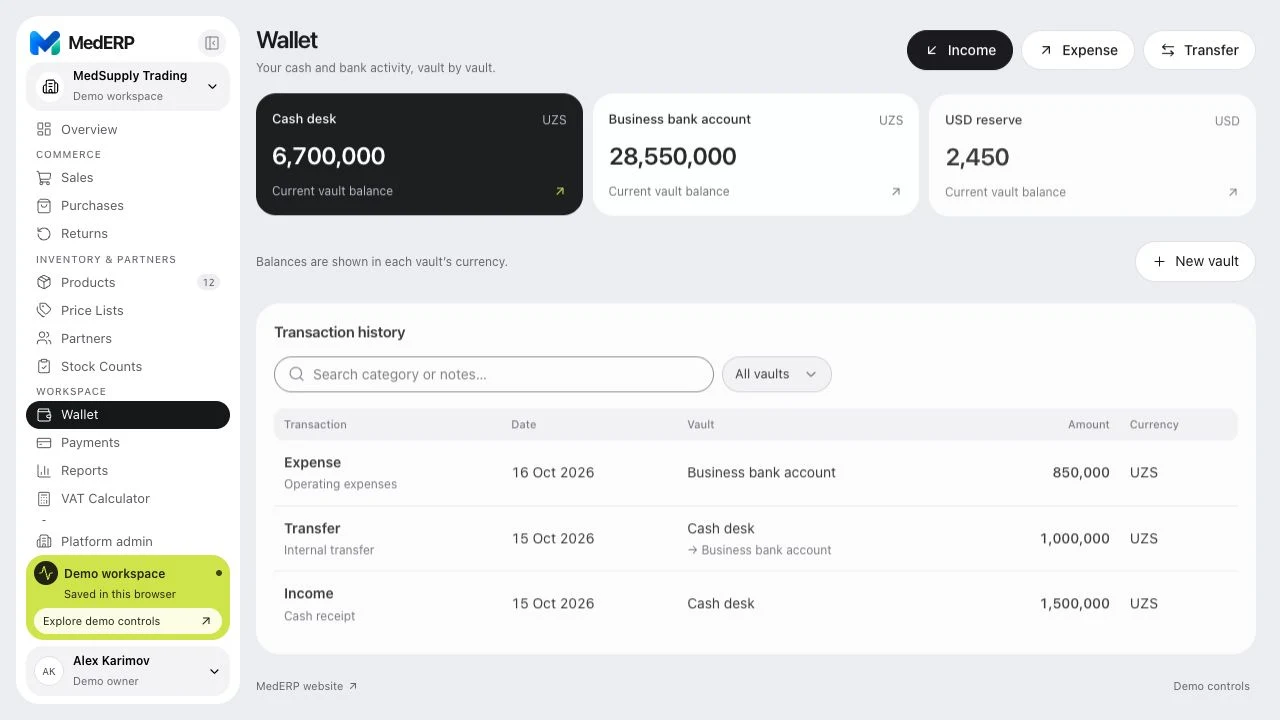

A native MedERP experience for iPhone, iPad, and Mac. Your shared company workspace, shaped for each screen.
The public App Store listing is not available yet.
The upcoming ChatGPT plugin brings products, stock, sales, and partner balances into the conversation.
Coming soonAsk about your business
“Which products are running low on stock?”
Public installation is coming. Shared access is required to use the plugin today.
Open MedERP in ChatGPT’s plugins and install it when it is available to your account or workspace.
Sign in, confirm your accounts, and select the companies ChatGPT can read. Your existing permissions still apply.
Select MedERP in ChatGPT and ask a question. Continue on your iPhone with the same account and workspace.
Access lasts 30 days. Disconnect at any time.
Individual accounts and defined roles keep your shared workspace organized around the people who use it.
Read the privacy policyOwners, administrators, staff, and viewers work with defined company permissions.
No ad network, advertising SDK, developer analytics, or cross-app tracking.
Import your catalog and export business-record backups. Review recovery and rollback options in your workspace.
Yes. The web demo includes fictional sample data you can explore and edit. Demo changes stay in your browser and do not affect a live company. Try demo.
Your team signs in to a shared company workspace with Apple or email. Saving changes requires an internet connection. The native Apple apps keep a local copy available to read offline.
The connection is read-only. It cannot edit records, post transactions, or change permissions. It reads approved company records, not browser-local demo data. Information already shared remains in your ChatGPT conversations after you disconnect.
Backup packages are not encrypted. They can contain company, commerce, inventory, payment, and wallet records. Attachment files are separate; save required originals independently and protect all exported copies.
Open the demo. Explore the details. See how it fits your day.